




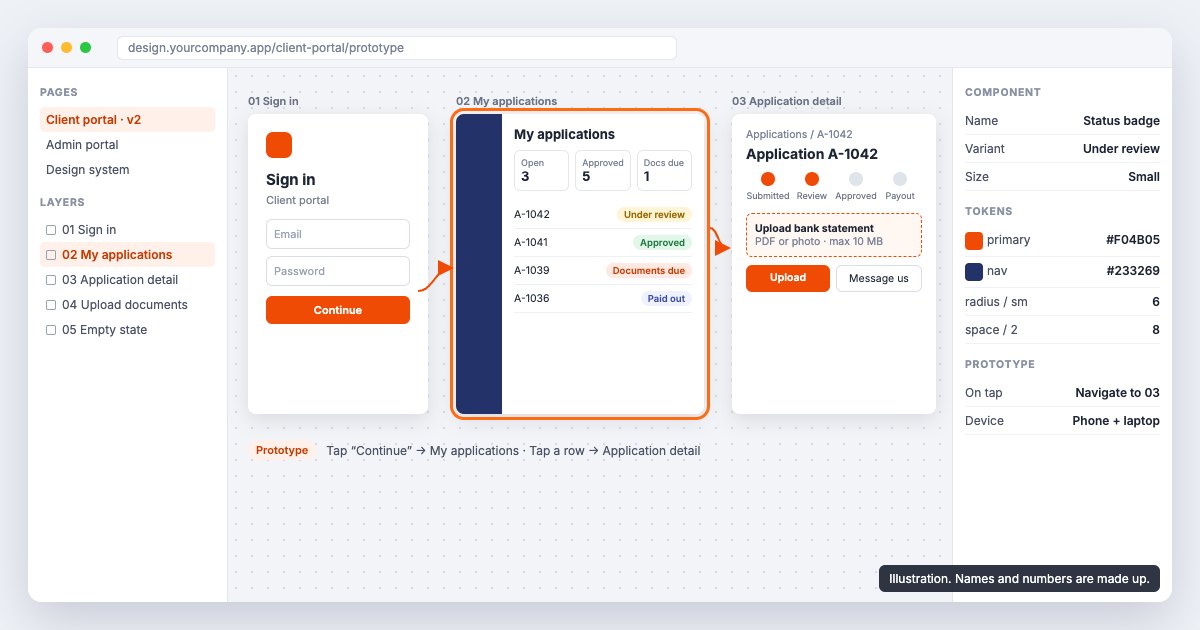
UI/UX design (also written UX/UI design) is how a website or web app works and how it looks. UX (user experience) decides the journey: which screens exist, in what order, and how few steps it takes to finish a task. UI (user interface) decides each screen: layout, type, colour, buttons, tables and forms. Our UI/UX design team in Dubai does both for companies building web apps, client portals and SaaS products, and we hand developers a file they can build from without guessing.
This page is for teams whose product is software people use every day, not a brochure site. If your staff live in an admin panel, or your customers log in to a portal to apply, pay, book or track something, this is the work that decides whether they finish.
What do UI/UX design services cover for a web app?
For a web app, the work covers every step between a user arriving and the task being done. That means the user roles, the journeys for each role, the screens, and every state those screens can be in. A marketing site has a few templates. A business app can have dozens of screens and several kinds of user, each seeing something different.
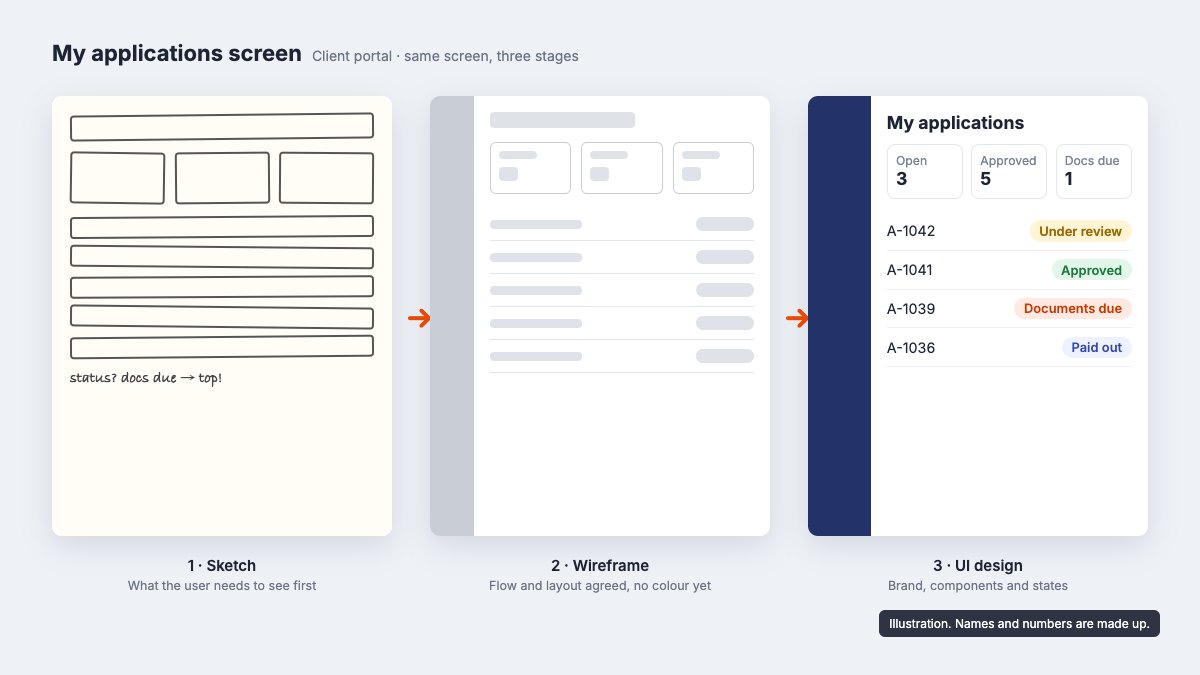
In practice the work splits into:
- Research: who uses the product, what they are trying to get done and where they get stuck today.
- Information architecture: the menu, the screen list and what lives on each screen.
- Journeys and wireframes: grey boxes that show the flow before anyone argues about colours.
- A clickable prototype: the core flow in Figma, tested on a phone and a laptop.
- UI design: the finished screens in your brand.
- A design system: the components, rules and states your developers reuse on every screen.
- Handoff: annotated files, specs and a walkthrough with the people writing the code.
The enquiries we get show the same pattern. A product has grown screen by screen, built by different developers, and now nothing matches. Or a founder has screen concepts, sometimes made with AI tools, and needs them turned into something a development team can build. Both are UI/UX problems before they are coding problems.
Why should a web app get UX work before development starts?
Because changing a flow in a prototype takes minutes and changing it in a codebase takes days. Once a screen is built, a moved field touches the front end, the API, validation and tests. In Figma it is a drag.
There is a second reason that matters for business software. The people using an internal tool or a client portal cannot choose a competitor's screen. Staff who fight an admin panel all day work around it with spreadsheets and WhatsApp messages. Clients who cannot finish an application call your team instead. The cost shows up as support time and slow operations, not as a bounce rate.
When we built the platform for Claim Cash Now, a pre-settlement funding company, the process had run on spreadsheets and email. We designed and built a web app with separate admin and client portals, covering application tracking, document generation and reporting (case study). With two user types sharing one system, deciding who does what, and on which screen, has to come before any visual design.
How does our UI/UX design process work?
Every project runs in the same order, and you approve each stage before the next starts.
- Discovery. We agree the goals and the users, and look at what already exists: the live product, analytics, support questions that repeat and the tasks that take too long. For a new product we look at the screen concepts and requirements you already have.
- Journeys and wireframes. We map each user role's main tasks and draw low-fidelity wireframes. Stakeholders agree the flow here, while it is still cheap to change.
- Clickable prototype. The core flow becomes an interactive Figma prototype you can click through on your own phone and laptop. A focused prototype is usually ready in the first 2 to 3 weeks.
- Usability testing. We put the prototype in front of people who match your users and watch where they hesitate. What confuses them gets fixed before development.
- UI and design system. High-fidelity screens in your brand, built from a shared component library.
- Handoff. Developers get the file, the specs and a walkthrough. If our web development team builds it, the same people stay on the project.
A small redesign of 5 to 10 screens usually takes 3 to 4 weeks. A product with research and testing across 15 to 20 screens takes 5 to 7 weeks. Large products with several user types and a full design system take 8 to 12 weeks.
What goes into a design system for a SaaS product or portal?
Mostly the unglamorous parts. A business app is tables, forms, filters, status labels, modals and notifications, repeated across every module. A design system defines each of these once, so a new screen is assembled from parts the developers already have.
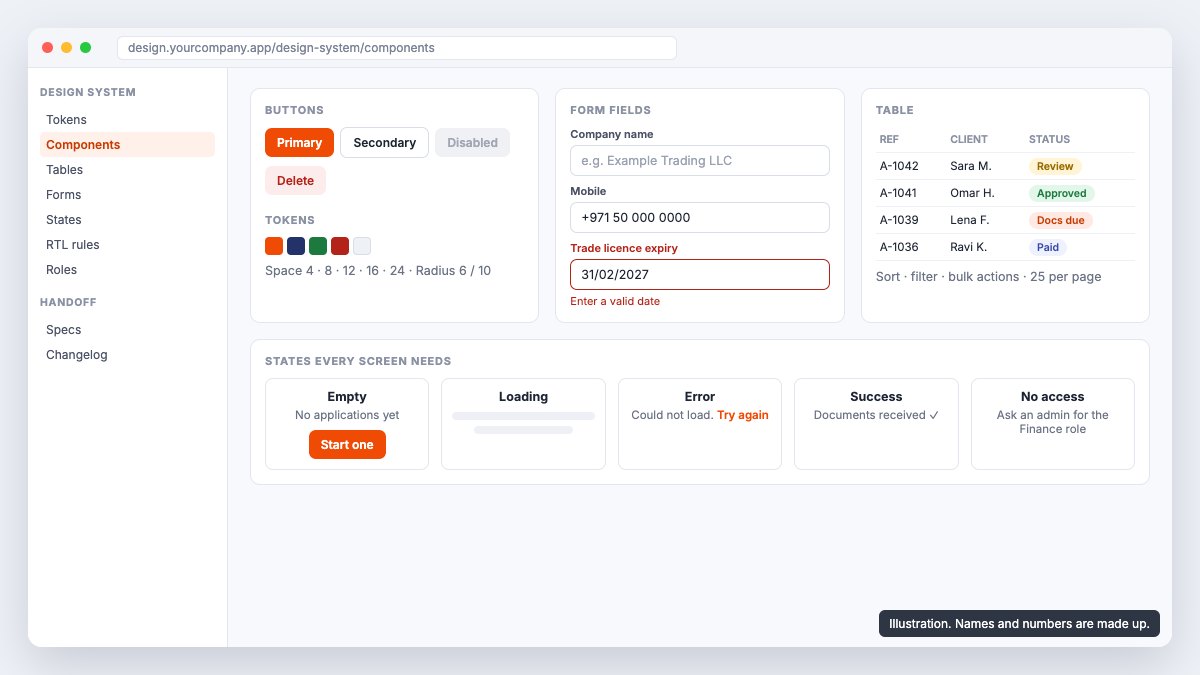
For a portal or SaaS product, ours covers:
- Tokens: colour, type sizes, spacing and radius, named so developers use the same values.
- Components: buttons, inputs, selects, date pickers, tables with sorting and bulk actions, tabs, cards and navigation.
- States for every screen: empty, loading, error, success and "you do not have access", plus what a table looks like with 0 rows and with 5,000.
- Role rules: what an admin sees that a client or a junior user does not, so permissions are designed, not bolted on.
- Responsive layouts: how dense desktop tables behave on a tablet and a phone. Our post on responsive website design in Dubai covers where mobile layouts usually fail.
When we worked on S-Line, a logistics company, the tracking and instant quote flows were designed in Figma before they were built in React, so the developers worked from settled components rather than a moving target.
If your product already has dozens of screens that no longer match, this is often the best place to start. Request a quote or message us on WhatsApp and tell us which module causes the most support questions.
How do you design Arabic and English (RTL) interfaces?
By planning right-to-left (RTL) from the wireframe stage, not by flipping a finished English design. In Arabic the whole layout mirrors: navigation moves to the right, progress steps run right to left and back arrows point the other way. Some things must not flip, such as play icons, charts with a time axis, phone numbers and product codes.
For UAE products we settle these early:
- Mirrored layouts for every screen, checked as their own designs rather than assumed.
- Mixed content in one field, such as an Arabic name next to an English email address or a +971 number.
- Text length. Labels change length between the two languages, so buttons and table headers need room in both.
- Typefaces with proper Arabic and Latin sets that sit well together at the same size.
- Numerals and dates. Which numerals and date formats the product shows, decided once and applied everywhere.
Not every product needs Arabic on day one. But if it will, the design system should hold both directions from the start, because retrofitting RTL into a built product means touching every screen.
What do developers get at handoff?
A Figma file they can build from without asking what you meant. That includes the component library, spacing and type tokens, every screen in every state, annotated interactions and responsive layouts for mobile, tablet and desktop.
Handoff is where many design projects fail. A designer delivers polished screens, a separate developer builds something close, and the gaps (an error message nobody designed, a table that breaks on a laptop) get filled with guesses. We avoid that in two ways. Every state is designed, not just the happy path. And because design and development sit under one roof here, the developers are in the design reviews and nothing is lost between the file and the code.
Some teams now build with AI-assisted coding tools. A clear, consistent design file matters more there, not less. Vague screens produce vague code faster.
Why work with our UI/UX design agency in Dubai?
Because design and development sit in one team, and the work is on time and does what was agreed. That is why teams come back. Two reviews that sum it up:
"Abid & GoDesign is one of the best on Freelancer. I've used them on multiple occasions for new logos and custom websites. Highly recommend !!"
Justin, United States, Freelancer
"I recently worked with this design company and was thoroughly impressed with their level of expertise and creativity. Their attention to detail and commitment to delivering high-quality work is unparalleled. I highly recommend this company for any graphic design needs."
Hajra, Google
We have delivered 900+ projects since 2018, with a 4.9 rating from 900+ reviews. More are on our reviews page.
How much does UI/UX design cost in Dubai?
A focused redesign of one flow or feature starts from AED 2,600. Projects with user research, usability testing and 15 or more screens, or a full design system, are quoted after a short discovery call. Research, design and testing are priced separately, so you can see what each part costs.
What moves the price:
- The number of user roles and screens. An admin plus a client portal is two products.
- Research and testing. Interviews and usability sessions add time and are worth it on anything people use daily.
- Languages. Arabic and English with RTL adds a mirrored version of each layout.
- The design system. A handful of shared components, or a full library with documentation.
- Whether we also build it. Design and development quoted together usually saves rework.
Our UI/UX design service page lists what is included at each level.
Redesign or start fresh: where should your project begin?
If you have a live product, start with an audit of the screens that cost you the most: where users drop off, what support keeps answering and which tasks staff avoid. We redesign those flows first and set up the design system as we go, so the rest of the product can move over in stages without a full rebuild.
If the product is new, start with a clickable prototype of the one flow that has to work, such as sign-up, an application or a booking. Show it to users and investors before code is written. It is the cheapest point to change your mind.
If you are tired of redesigning every couple of years, our article on why UAE brands redesign their website every 2 years explains what breaks the cycle.
Talk to us about your product
Tell us what the product does, who uses it and which screen or flow loses you the most time or users. We will tell you where we would start and what it would take. Get a quote or message us on WhatsApp to book a call.
"Always on time and on budget, great work!"
Mikail, Switzerland, Freelancer
Frequently asked questions
What is the difference between UX and UI design?
UX design decides how the product works: the user roles, journeys, screens and the order of steps. UI design decides how each screen looks: layout, type, colour and components. We do both, starting with UX, because the flow has to be right before the screens are polished.
Can you turn our existing screen concepts into a design developers can build?
Yes. Many teams come to us with sketches, screenshots or AI-generated concepts. We review them, settle the journeys in wireframes, test a clickable Figma prototype and deliver consistent screens and a design system that a development team, including one using AI coding tools, can build from.
Can you redesign an existing web app without rebuilding it?
Usually, yes. We start with the flows that cost you the most in drop-off or support time, redesign those first and set up a design system as we go, so the rest of the product can move over in stages.
Do you design Arabic and English (RTL) interfaces?
Yes. We plan right-to-left layouts from the wireframe stage, design the mirrored screens as their own layouts, handle mixed Arabic and English content in one field, and choose typefaces that work in both scripts.
How long does a UI/UX design project take?
A small redesign of 5 to 10 screens takes 3 to 4 weeks. A product with research and testing across 15 to 20 screens takes 5 to 7 weeks, and large products with several user types and a design system take 8 to 12 weeks.
How much does UI/UX design cost in Dubai?
A focused redesign of one flow or feature starts from AED 2,600. Projects with user research, usability testing and 15 or more screens, or a full design system, are quoted after a short discovery call.