GoDesign FZE - Dubai Digital Agency
Automation

n8n Automation Dubai, Automate the Manual Work

n8n workflows that connect your tools, eliminate repetition, and scale without headcount.
Get a scope & quote
n8n Automation Dubai, Automate the Manual Work cover

What Our n8n Automation Does

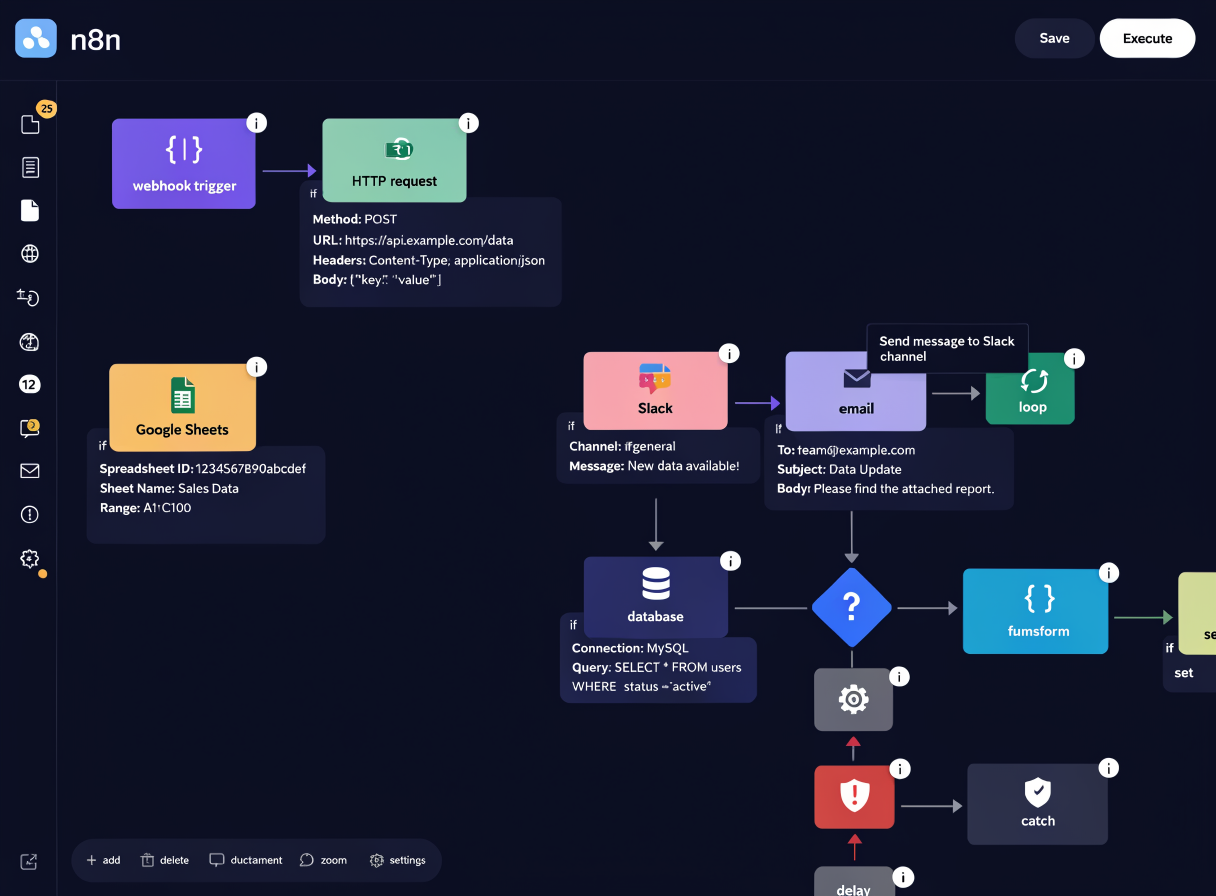
n8n automation in Dubai that connects your tools and eliminates manual work. Most teams copy data between 3-10 tools every day, from forms to CRM, orders to invoices, deal closures to emails. We design n8n workflows that move data instantly and correctly, test them thoroughly, and train your team to maintain them.

Service detail

n8n Automation Capabilities

Lead Capture & Routing
01

Lead Capture & Routing

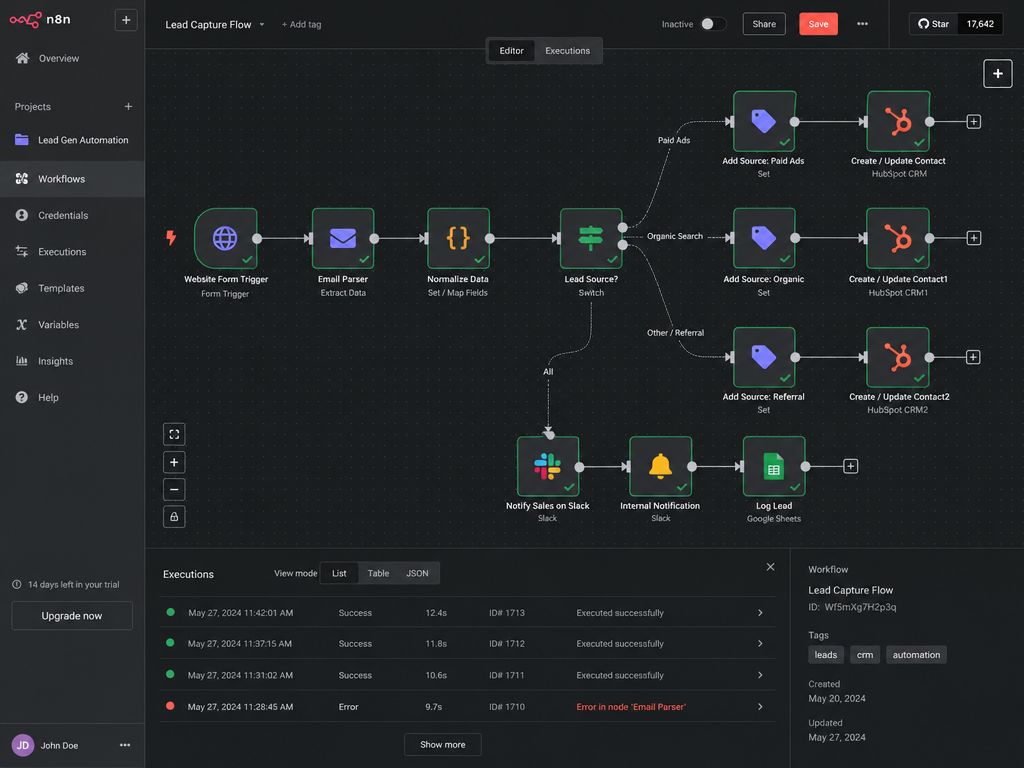
Capture leads from website, email, forms, or social. Automatically route to right team based on criteria.
Data Sync & Enrichment
02

Data Sync & Enrichment

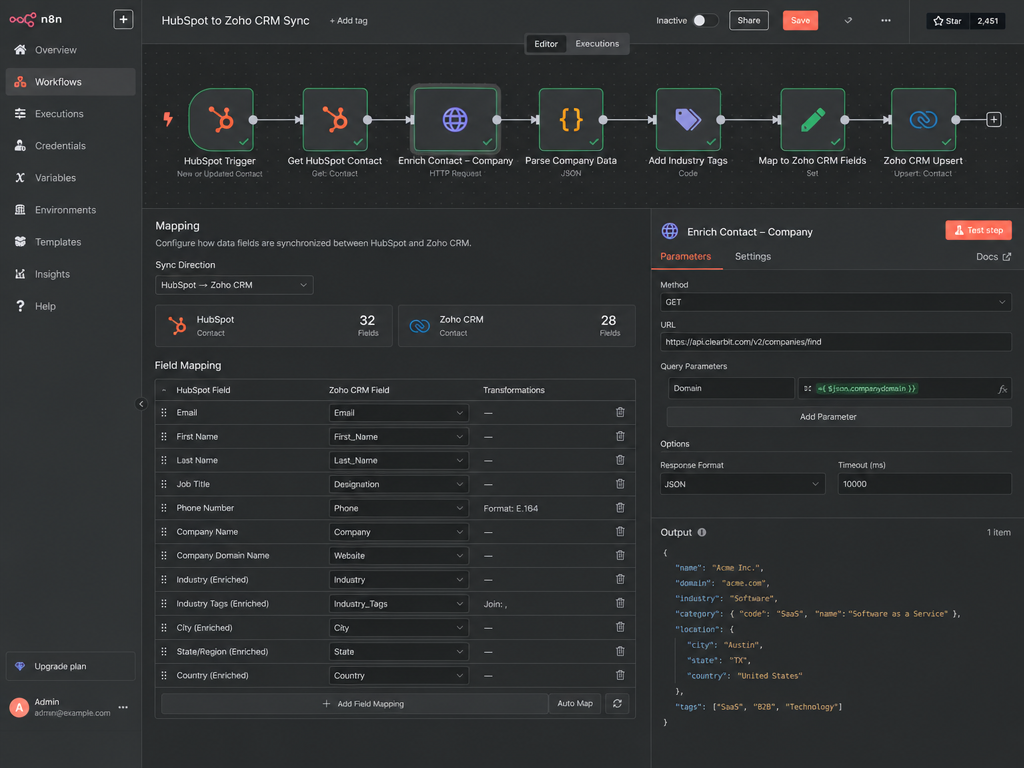
Sync contacts between HubSpot, Zoho, Slack. Auto-enrich with company info, location, industry.
Approval Workflows
03

Approval Workflows

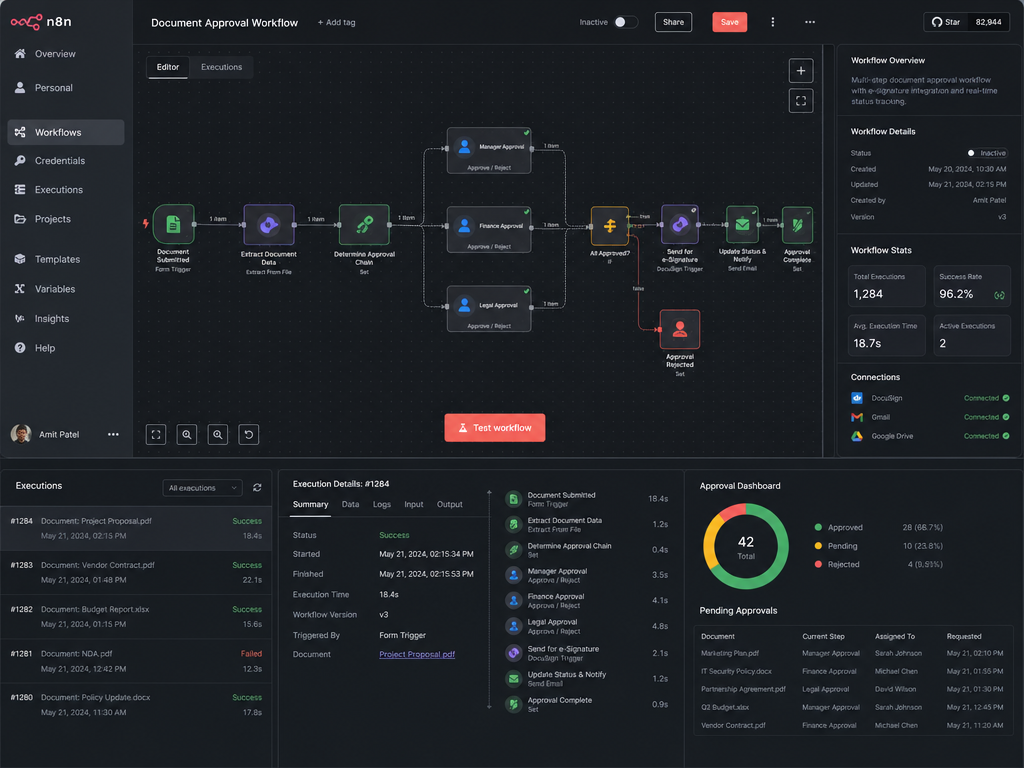
Route documents for approval. Collect signatures. Track status. No more email approvals.
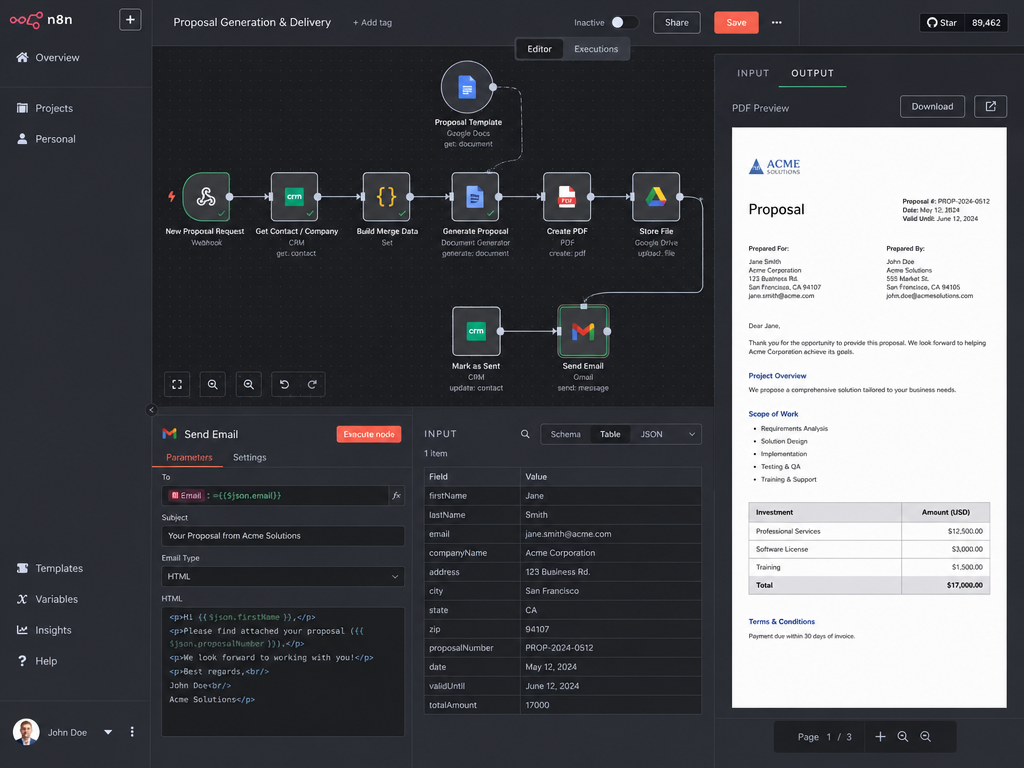
Document Generation
04

Document Generation

Generate proposals, invoices, contracts automatically. Personalize with deal/contact data.
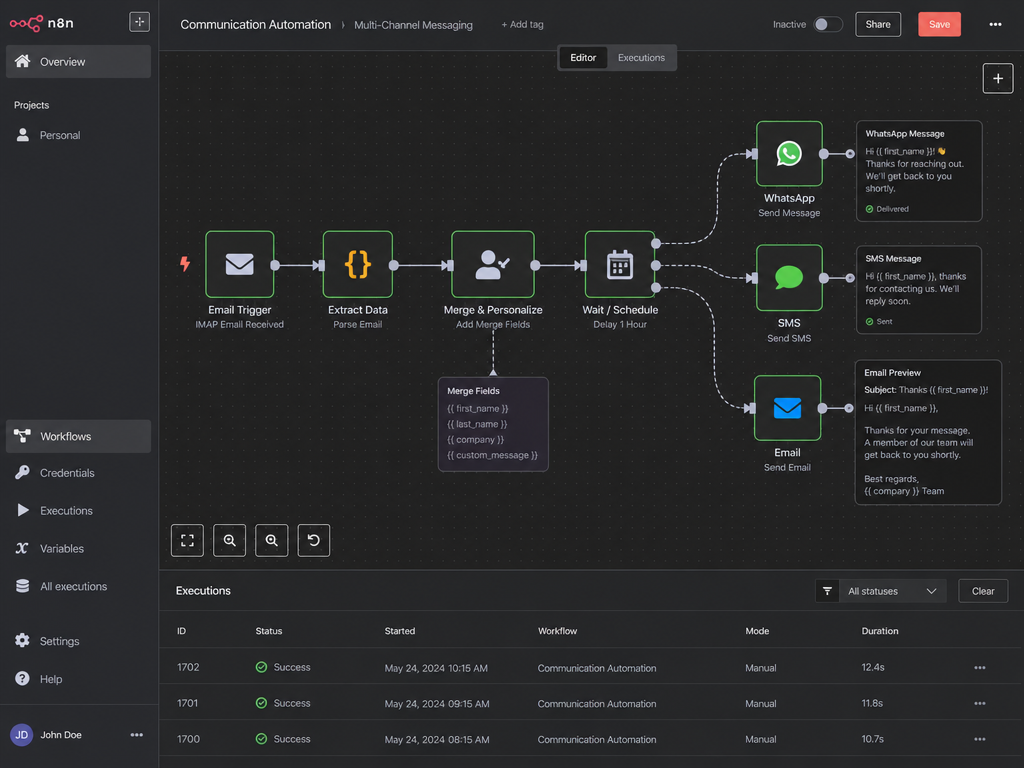
Communication Automation
05

Communication Automation

Send emails, SMS, WhatsApp messages automatically. Trigger on events. Personalized at scale.
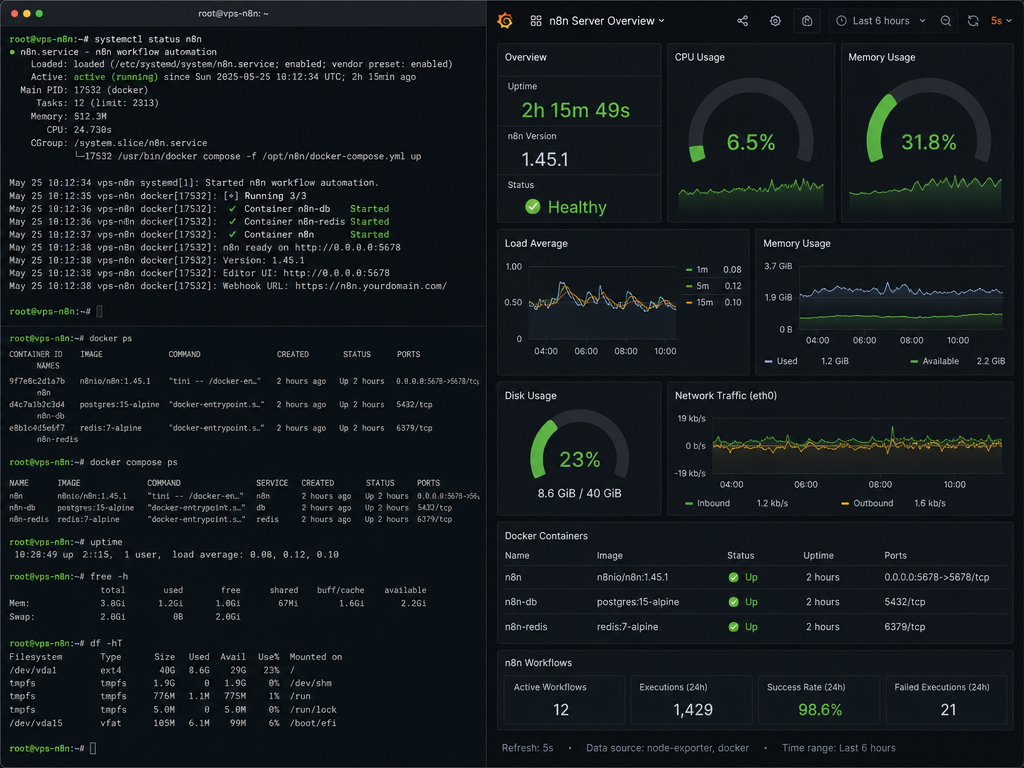
Self-Hosted Deployment
06

Self-Hosted Deployment

Run n8n on your own servers. Full data sovereignty. No third-party access. Fully secure.

Our n8n Automation Process

01

Workflow Audit

Map current workflows. Identify manual steps and data entry. Find automation opportunities.

02

n8n Workflow Design

Design workflows in n8n interface. Define triggers, conditions, and actions. Test with sample data.

03

Integration Setup

Connect n8n to your tools via APIs or webhooks. Verify data flow. Test end-to-end.

04

Deployment & Monitoring

Deploy to production (cloud or self-hosted). Set up logging and alerts. Monitor performance.

05

Optimization & Support

Monitor usage and optimize. Adjust rules based on real data. Ongoing support.

Want this running in your business?

30-minute call. We map your current process and show you exactly what the automated version looks like.

Send your requirements

Imagine if your team never had to manually copy data between tools again. Never had to remember to send a follow-up. Never had to wait for approval.

That's what n8n automation does. It's not magic:it's just eliminating work that shouldn't exist in the first place.

Deciding between a workflow engine like n8n and a reasoning AI agent? Our guide to n8n vs Claude agentic AI for Dubai businesses shows exactly which one fits each job, and where using the wrong one costs you. For a real-world example, see how we apply this to RFQ automation for event companies in Dubai.

What n8n Automation Delivers

90%

Manual Work Eliminated

20+ hours

Team Time Saved per Week

1-3 days

Average Setup Time

200+ workflows

Deployed Across Clients

Why choose GoDesign

Why Choose Us

  • Custom n8n workflow design and deployment
  • Integration with HubSpot, Zoho, Slack, WhatsApp, Google Workspace
  • Lead capture, enrichment, and routing automation
  • Invoice, proposal, and contract generation workflows

Who this service is for

Who It’s For

  • Businesses with manual data entry between 3+ tools
  • Sales teams spending hours on repetitive follow-up
  • Operations teams managing approvals by email
  • Any team saying 'we need to sync this with that'

Operations Leader
What Clients Say
"Whenever a problem arose they always found a solution. The workflow automation eliminated so much of our manual data entry."

Operations Leader

Head of Operations · Tech Company

n8n Automation FAQs

All three are workflow automation platforms, but with different tradeoffs. Zapier is easiest to use for beginners with a visual interface and quick setup, but becomes expensive at scale (pricing per task) and has limitations on complex workflows. Make is more flexible than Zapier with lower costs, good for multi-step integrations. n8n is the most flexible and, crucially, offers self-hosting so you own your data and automation logic. For businesses with sensitive data, compliance requirements, or complex automation needs, n8n self-hosted is typically the best choice. For simple, light automation, Zapier is easiest. We recommend n8n for growing businesses that want control and cost efficiency.

n8n pricing depends on deployment method and complexity. Cloud-hosted n8n starts at AED 2,600/month (free tier available). Self-hosted n8n has setup costs (AED 1,300-2,600 for infrastructure and initial setup) plus minimal ongoing hosting costs (AED 1,300-3,900/month). Custom workflow setup costs vary: simple 2-3 tool integrations (lead capture to CRM) cost AED 780-1,300 and take 2-3 days. Medium complexity (5-8 tool integration with conditional logic) costs AED 1,950-3,900 and takes 1-2 weeks. Complex multi-step workflows with error handling and advanced logic cost AED 3,900-7,800+. ROI is usually within 2-4 months for businesses automating repetitive work.

Absolutely. If your application has a REST API, GraphQL API, or webhook capability, we can integrate n8n with it. n8n has 400+ pre-built integrations plus the ability to make custom API calls using HTTP nodes. We can: read data from your API (fetch customer records, query database), write data to your API (create new records, update information), and trigger workflows based on events from your system. Common custom integrations include CMS platforms, legacy business systems, and internal tools. We handle all authentication, error handling, and data mapping.

Yes, migration is possible. We analyze your existing Zapier workflows, recreate the logic in n8n, and test thoroughly to ensure identical behavior. Migration typically costs AED 780-1,950 depending on workflow complexity. Once migrated, n8n is usually cheaper to operate (especially self-hosted) and more flexible for future changes. The migration process: export Zapier setup documentation, rebuild in n8n, test parallel runs (both systems running simultaneously), validate results match, then switch over. We provide training on managing workflows in n8n after migration.

Yes, especially self-hosted n8n. With cloud-hosted n8n, your data flows through Zapier servers, so there are privacy considerations. Self-hosted n8n is more secure because everything runs on your infrastructure-no data leaves your environment unless you explicitly send it somewhere. We implement: encryption in transit (HTTPS), encryption at rest (database encryption), API key management (secure storage of credentials), audit logs (track all workflow executions), and compliance features (GDPR-ready with data retention policies). For highly sensitive data (healthcare, financial, personal information), self-hosted n8n with proper security configuration is the right choice.

Timeline depends on complexity and your team's responsiveness. Simple workflows (2-3 tool integrations like form submission to email to CRM) typically take 2-3 days, including design, development, and testing. Medium complexity workflows (5-8 tools with conditional routing and data transformation) take 1-2 weeks. Complex workflows (10+ steps, error handling, advanced logic, external API calls) take 2-4 weeks. The timeline includes: requirements gathering, workflow design documentation, development, testing (happy path and error scenarios), and handoff documentation. Delays usually come from getting stakeholder feedback or testing with your actual data.

Cloud-hosted n8n is easier: it requires no server setup, minimal maintenance, and automatic updates. You pay a monthly subscription (AED 260-1,300+/month depending on workflow volume). Self-hosted n8n requires more technical setup but gives you complete data ownership, no cloud dependencies, and lower long-term costs (AED 1,300-3,900/month). Choose cloud-hosted if: you want simplicity, don't handle sensitive data, or don't have IT infrastructure. Choose self-hosted if: you need data sovereignty, handle regulated data, want cost efficiency long-term, or require high reliability. We can help deploy and manage either option.

We integrate n8n with WhatsApp Business API so you can automate messaging workflows. This enables: sending notifications (order updates, appointment reminders), capturing customer inquiries (customers reply to your message), triggering workflows based on messages (inquiry routed to support team), and building conversational flows. Setup requires: WhatsApp Business account, phone number verification, API access approval from Meta, and n8n workflow configuration. Once configured, you can send bulk messages, handle two-way conversations, and trigger actions based on customer responses. Common use cases: e-commerce order notifications, appointment reminders, support escalation, and lead capture. WhatsApp typically has 40-50% open rate (vs 20% for email) making it highly effective.

Error handling is critical for reliable automation. We set up comprehensive error management: retry logic (automatically retry failed steps), exponential backoff (increasing wait time between retries), notifications (alert your team immediately on failure), fallback actions (alternative action if primary fails), and detailed error logs (understand what went wrong). Example: if CRM API fails when syncing a contact, the workflow retries 3 times with increasing delays, then sends a Slack notification to your ops team with error details. Error logs show: what step failed, why it failed (error message), when it failed, and the input data. This visibility makes debugging and optimization straightforward.

n8n can move any data that systems expose via APIs: structured data (contacts, deals, invoices, customers), documents (PDFs, Word files, spreadsheets), media (images, videos), and unstructured content. We map data fields to ensure correct sync. Example: when a lead is created in your form, n8n: creates a contact in HubSpot, adds a deal, attaches company data from an enrichment API, sends a welcome email via Mailchimp, and logs the action in your analytics tool. Data transformation is built-in: we can split/join fields (combine first + last name into full name), convert formats (phone number standardization), and validate data (ensure email is valid). Complex workflows can move thousands of records daily without manual intervention.

Yes. We integrate n8n with document generation tools or use template systems to automatically create PDFs, Word documents, or other formats. Workflow: when a deal closes in CRM, n8n pulls deal data, generates an invoice using a template, fills in customer info, applies branding, and sends it via email or stores it. Examples: invoice generation (save 5+ hours weekly), proposal creation (templated but customizable), contract generation (with variable terms), and certificate generation. We use tools like Zapier document generation, DocuSign for signing, or custom document templates depending on your needs. Output can be automatically stored (Google Drive, Dropbox), sent (email), or filed (CRM attachment).

Time savings vary significantly by workflow. Lead routing workflows (manual data entry to automatic CRM assignment) save 10-20 hours weekly. Invoice generation (manual formatting to automated PDFs) saves 5-8 hours weekly. Email follow-ups (manual reminders to automated sequences) save 8-15 hours weekly. Approval workflows (email-based approvals to automated routing) save 3-5 hours weekly. Many businesses deploy multiple workflows, so total savings can be 30-50 hours weekly. ROI calculation: if your team's average salary is AED 5,200/month (roughly AED 325/hour), saving 30 hours weekly is AED 9,750 weekly or AED 3,900 monthly savings. An AED 1,950 workflow investment pays for itself in under a month.

No technical knowledge is required to use workflows we build. Your team just uses the inputs and sees the results. For example, they submit a form and n8n handles everything behind the scenes. However, building new workflows or modifying existing ones requires technical skill because you're working with APIs, data mapping, and conditional logic. We provide documentation on how to use completed workflows and can provide training. For ongoing maintenance, you can either: work with us for modifications (we're available for updates and optimizations), hire a developer familiar with n8n, or we can set up simple self-service triggers if your needs are straightforward.

Yes, scheduled automation is one of n8n's strengths. We set up scheduled triggers: run at specific times (2am daily for data sync, 9am Monday for weekly reports), on intervals (every 30 minutes for real-time updates), on specific dates (month-end reconciliation on the last day), or based on conditions (daily unless it's a weekend). Common scheduled workflows: daily email reports, hourly contact sync between systems, weekly invoice compilation, monthly data cleanup, and seasonal campaigns. Scheduled workflows run automatically-your team doesn't need to do anything. We monitor execution and alert you to failures.

A webhook is a unique URL that triggers an n8n workflow when data is posted to it. It enables real-time automation versus scheduled/batched automation. Example: form submission webhook sends form data to n8n instantly, which immediately creates a contact in CRM, sends a welcome email, and notifies your sales team. This real-time response significantly improves customer experience (instant acknowledgment) and sales effectiveness (faster follow-up). We provide webhook URLs that you can use in your forms, applications, or services. Webhooks enable: instant lead capture and assignment, real-time notifications, event-driven automation, and multi-system synchronization. Compared to scheduled workflows, webhooks ensure instant response-no waiting for the next scheduled run.

Yes. n8n provides detailed execution logs for every workflow run. Logs show: execution timestamp, which steps ran successfully, which failed, input/output data for each step, execution duration, error messages if any step failed, and who triggered the workflow. These logs are essential for: debugging failures (understand exactly what went wrong), compliance (audit trail for regulated industries), performance optimization (see which steps are slow), and troubleshooting (reproduce issues to find root cause). We typically set up log retention (keep logs for 3-12 months depending on needs) and create dashboards showing workflow health. Logs help you understand what your automation is doing and catch issues before they impact business.

Workflows are versioned so we can safely test changes without breaking production. Process: we create a test version, make the change, run tests with real data, validate results, and then switch the live version when ready. Some changes are simple (adjusting an email template, changing a field name) and can be deployed same day. Complex changes (adding new tools, changing logic) require more testing and might take a few days. We maintain documentation for each workflow so any developer can understand the logic. For ongoing modifications, you can either request changes from us, or we can train your IT team to make simple changes themselves. Most businesses need 5-10 hours/month of optimization as they discover new automation opportunities.

Yes. QuickBooks, Xero, FreshBooks, Wave, and other accounting platforms integrate with n8n. Common integrations: sync invoices from n8n-generated documents to accounting software, pull expense data for reimbursement processing, automate invoice payment reminders, sync customer data between CRM and accounting, and reconcile transactions monthly. Example: when a customer order is completed in Shopify, n8n automatically creates an invoice in Xero, sends it to the customer, and logs it in QuickBooks. Monthly: n8n pulls all transactions, categorizes them, and prepares reconciliation data for your accountant. This eliminates duplicate data entry and improves accuracy. Setup requires API keys from your accounting software and workflow configuration.

We set up monitoring dashboards showing: total workflows, execution frequency, success rate (% of executions that completed without error), average execution time, and cost per execution (for cloud n8n). We also set up alerts: notify you when a workflow fails, when execution time increases unexpectedly (indicator of a problem), or when an API hits rate limits. Monthly reviews analyze which workflows are providing the most value, which have issues, and optimization opportunities. We recommend regular maintenance: reviewing failed executions, updating integrations when systems change, and adding new automations as business processes evolve. Good monitoring ensures your automation continues working smoothly as your business grows.

Need this service?

Share Your Requirements

Share your requirements and we will come back with the right next step, timeline, and delivery approach.

Tell us your goals

Project Brief

Start a Conversation

Tell us what you're building. We'll tell you how to make it faster.