GoDesign FZE - Dubai Digital Agency
CRM

CRM System Dubai, A CRM Your Team Will Actually Use

HubSpot and Zoho setup, customization, and training that turns leads into revenue.

Get a scope & quote
10+ Years Experience
700+ Completed Implementations
CRM System Dubai, A CRM Your Team Will Actually Use cover

10+ Years Experience

700+ Completed Implementations

60+ CRM Experts

The problem

What this usually looks like before we start

Too Much Manual Work

Your team wastes hours on routine data entry, follow-ups, and administrative tasks. If you scaled up today, would your processes break?

Your CRM Delivering ROI?

You have the tools, but unclear strategy means the system's full potential remains untapped. Your returns fall short of expectations.

Your CRM Doesn't Fit Your Business

Your system doesn't reflect how your business actually operates. You're paying for features that don't provide any real value.

Data Scattered Across Multiple Tools

Customer information is fragmented across email, spreadsheets, and disconnected platforms. Confusion, duplicate entries, and lost context plague your team.

Trusted by Leading Companies

We've earned the trust of industry leaders across sectors

Goodfirms

5.0

48 reviews

Google Reviews

4.8

120+ reviews

Upwork

100%

Top Rated Plus

Clutch

5.0

50+ reviews

What Implementation Delivers

Centralized Customer Data

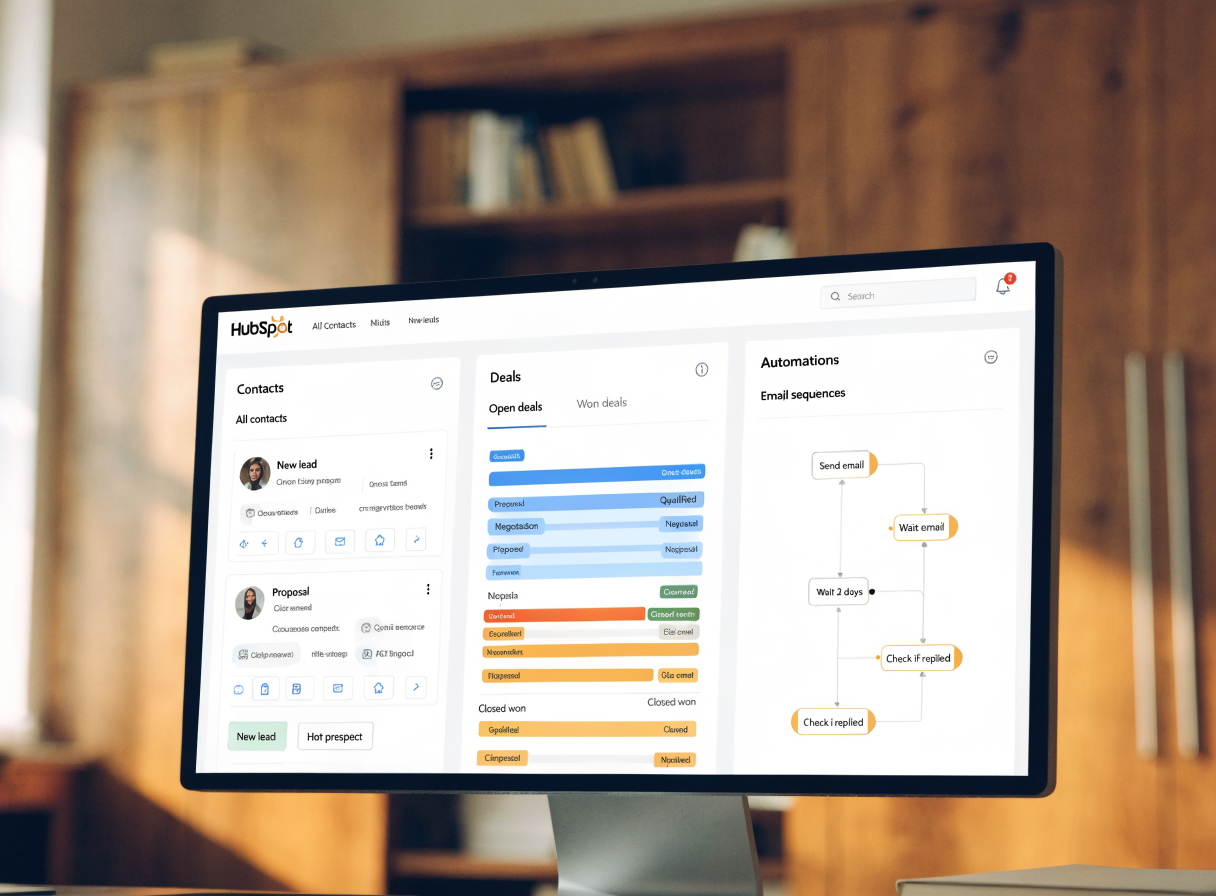
All customer information-leads, deals, communication history, contact details-lives in one place. No more searching across email, spreadsheets, and scattered notes. Your team always has complete context. No more lost opportunities from forgotten interactions.
Centralized Customer Data
Sales Pipeline Clarity

Sales Pipeline Clarity

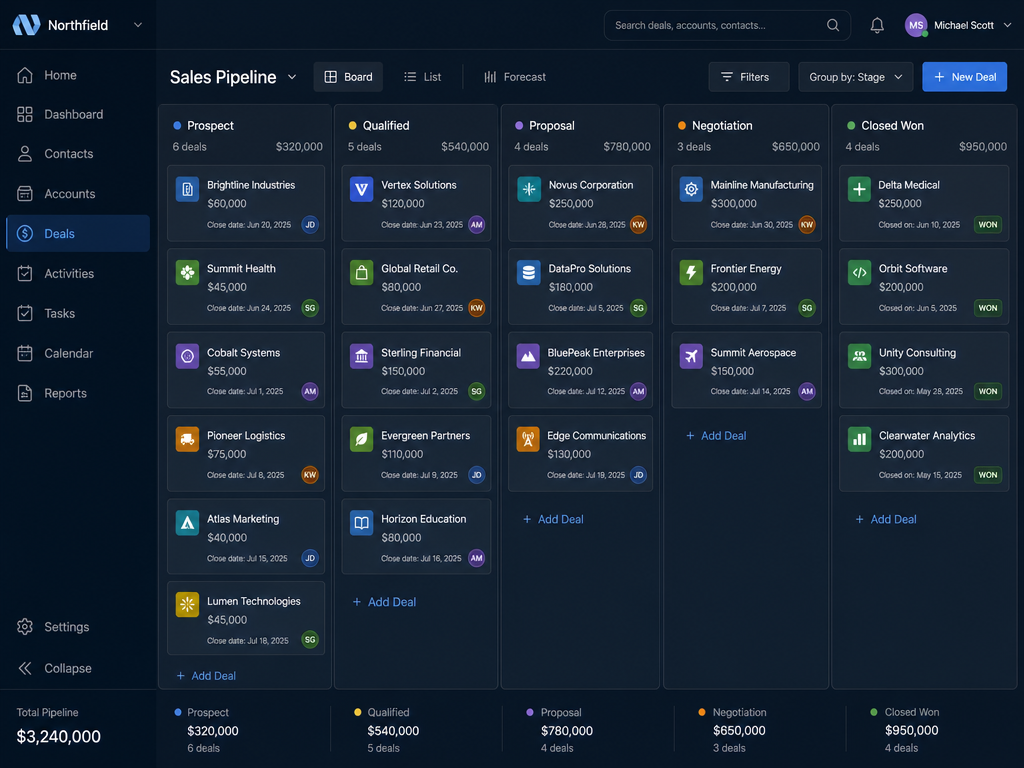
See exactly where every deal stands. Identify bottlenecks. Know which deals need attention and what action closes them. Your pipeline becomes your competitive advantage.

Improved Customer Relationships

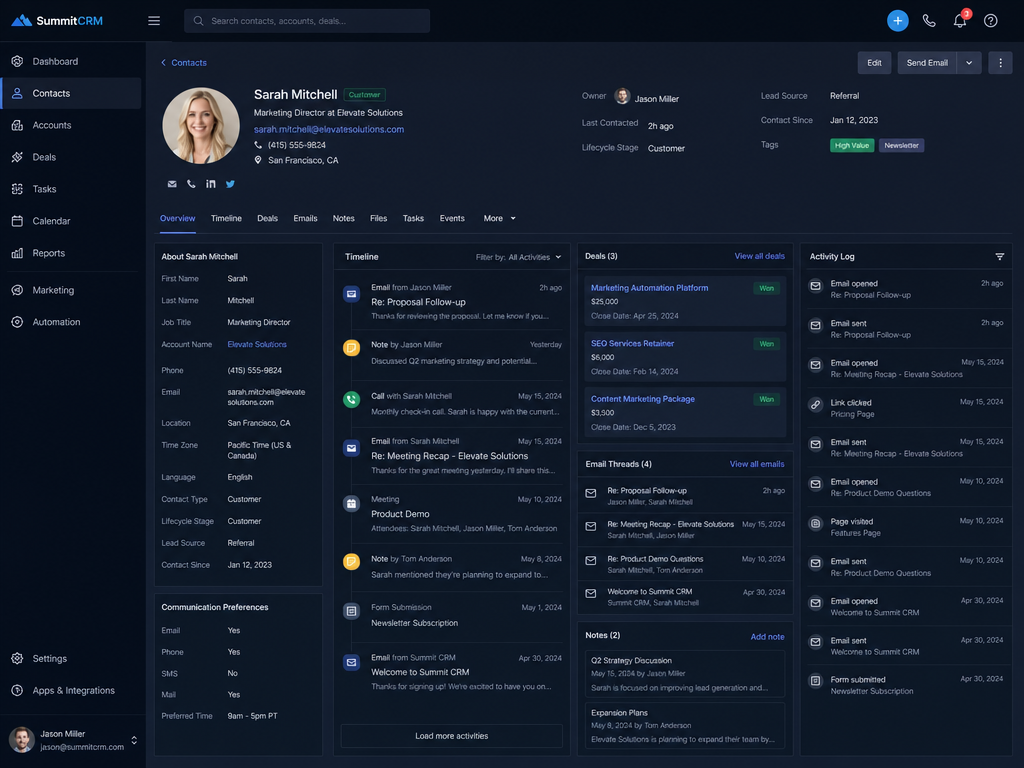
Your team has the full customer history at their fingertips. Every email, every call, every transaction. Result: More personalized communication. Faster response times. Clients feel understood and valued.

Improved Customer Relationships
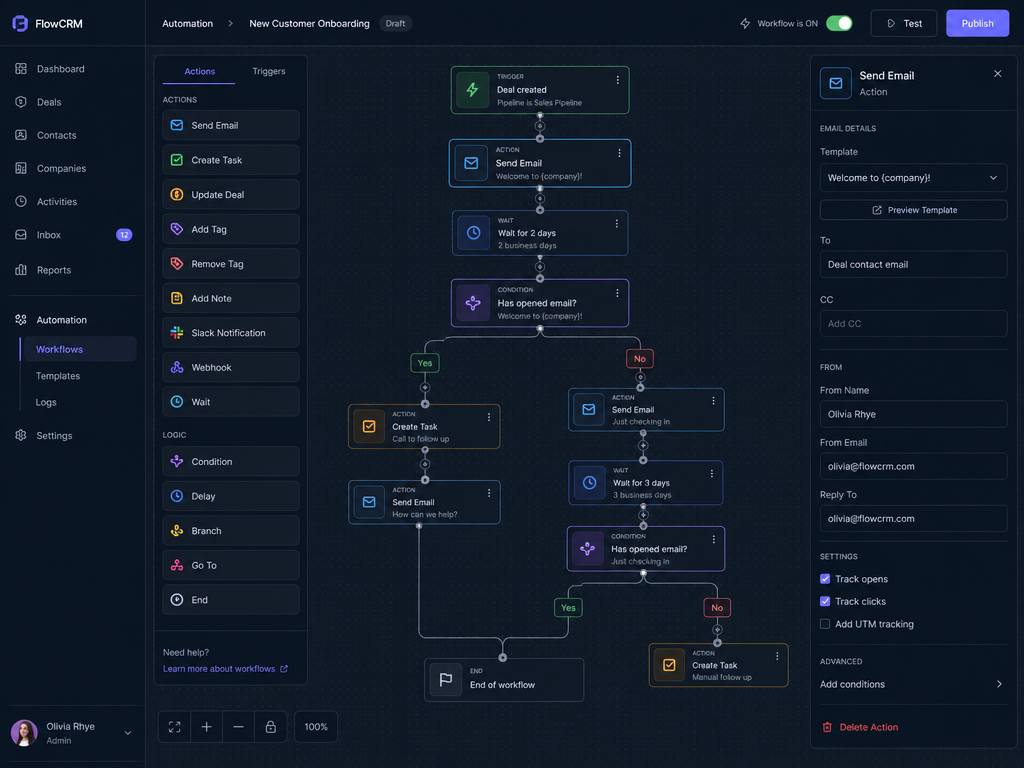
Automation of Routine Work

Automation of Routine Work

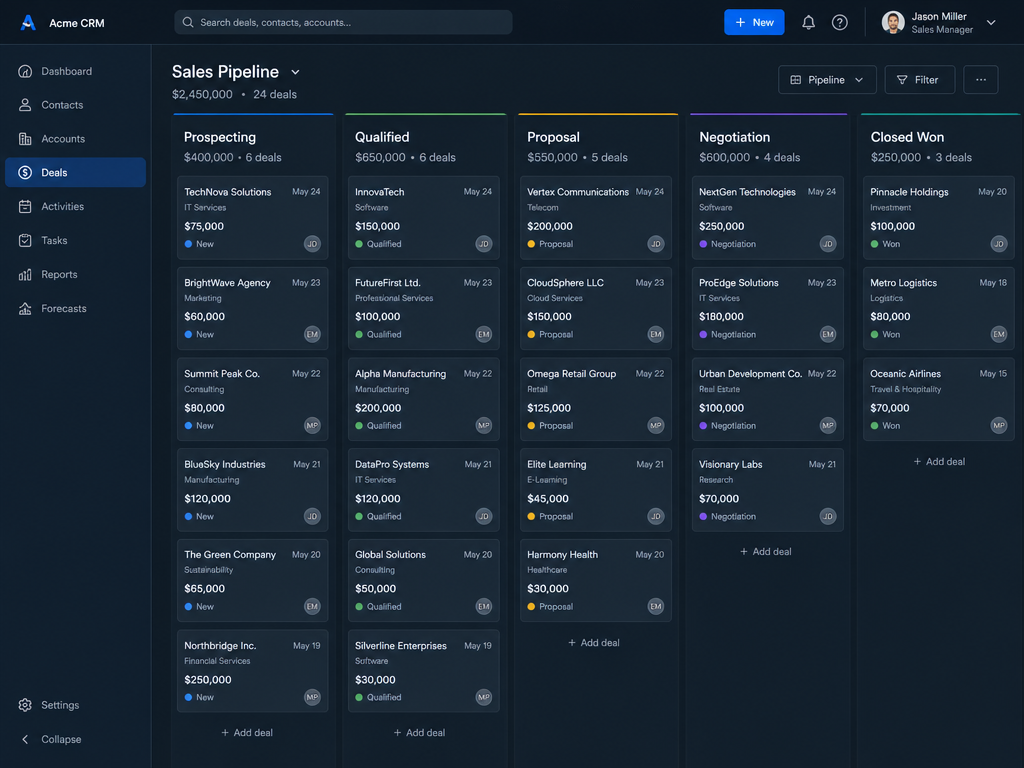
Follow-ups, reminders, task assignment, and routine reporting happen automatically. Your team saves 20+ hours every week. They focus on closing deals, not busywork.

Industries We Serve

Real Estate

Real Estate

Lead management, property pipelines, commission tracking, buyer/seller workflows

E-Commerce

E-Commerce

Customer segmentation, order management, retention workflows, customer lifetime value

Professional Services

Professional Services

Project-based sales cycles, proposal management, client communication, resource allocation

SaaS & Technology

SaaS & Technology

MRR tracking, expansion revenue, customer success workflows, contract management

Healthcare

Healthcare

Patient management, referral tracking, appointment scheduling, compliance workflows

Insurance

Insurance

Quote management, policy tracking, renewal workflows, client communication

Logistics

Logistics

Order management, shipment tracking, customer communication, revenue forecasting

Hospitality & Events

Hospitality & Events

Booking management, vendor communication, event coordination, client relationships

What Our Clients Say

"I've been a godesign.pk customer for a few months now. Having dealt with other providers I can honestly say they have been a pleasure to deal with. Responsive and knowledgeable, and most importantly, able to offer up creative ideas. No annoying request of mine ever seems to fluster them. My intention is to use them for future projects."

Bernard Peel

Business Owner

1 of 3

What Our CRM Implementation Covers

Most CRM implementations fail because of poor configuration and adoption-not the software. We set up the CRM system Dubai businesses actually use day to day: configured around your process, with automation that saves hours, and training that drives real adoption.

Service detail

CRM Implementation Capabilities

Sales Pipeline Clarity
01

Sales Pipeline Clarity

See exactly where every deal stands. Identify bottlenecks. Know which leads are stuck and what it takes to close them. Your pipeline becomes your competitive advantage.
Automation That Saves Hours
02

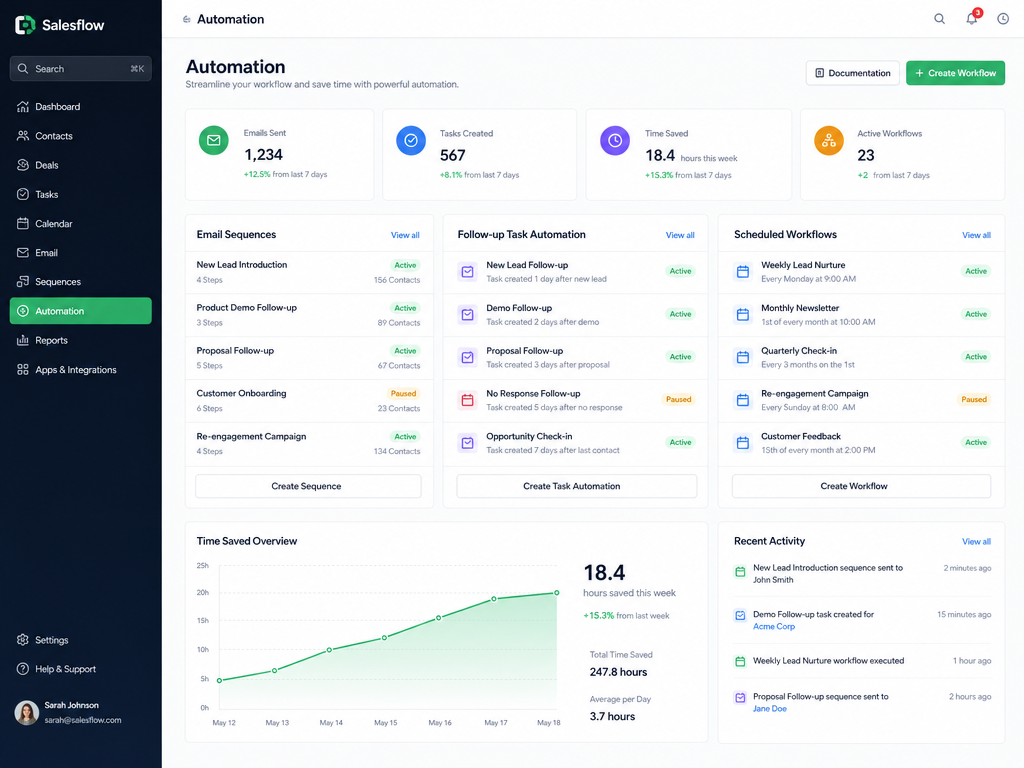
Automation That Saves Hours

Automate follow-ups, task assignment, email sequences, and reporting. Your team focuses on closing deals-not administrative work. Less busywork. More revenue.
Seamless Integrations
03

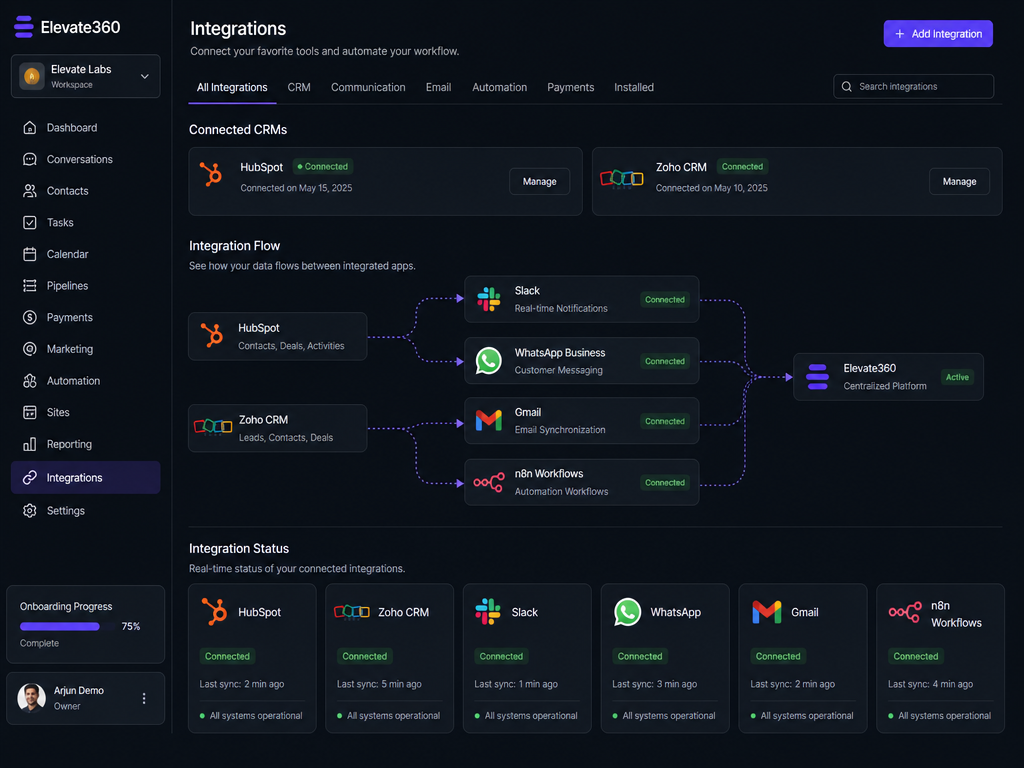
Seamless Integrations

Connect email, calendar, HubSpot/Zoho with Slack, WhatsApp, n8n, and custom apps. All your systems talk to each other. Data flows automatically.
Centralized Customer Intelligence
04

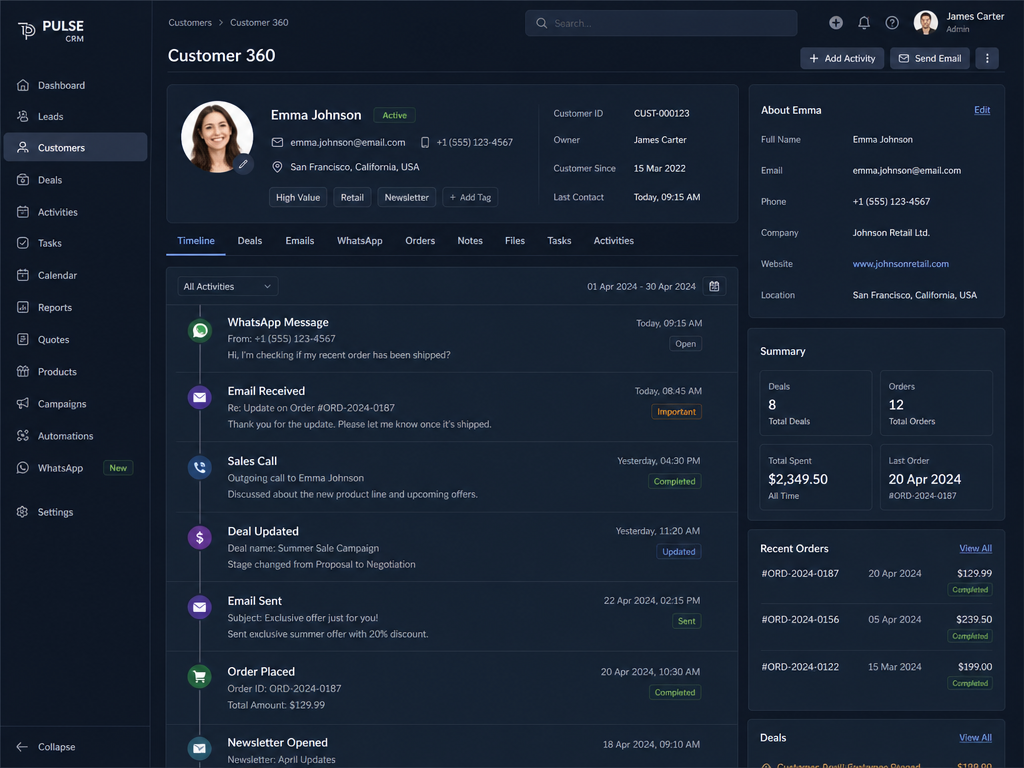
Centralized Customer Intelligence

All customer information-history, interactions, preferences, deal status-stored in one place. No more scattered data. No confusion. Complete context at a glance.
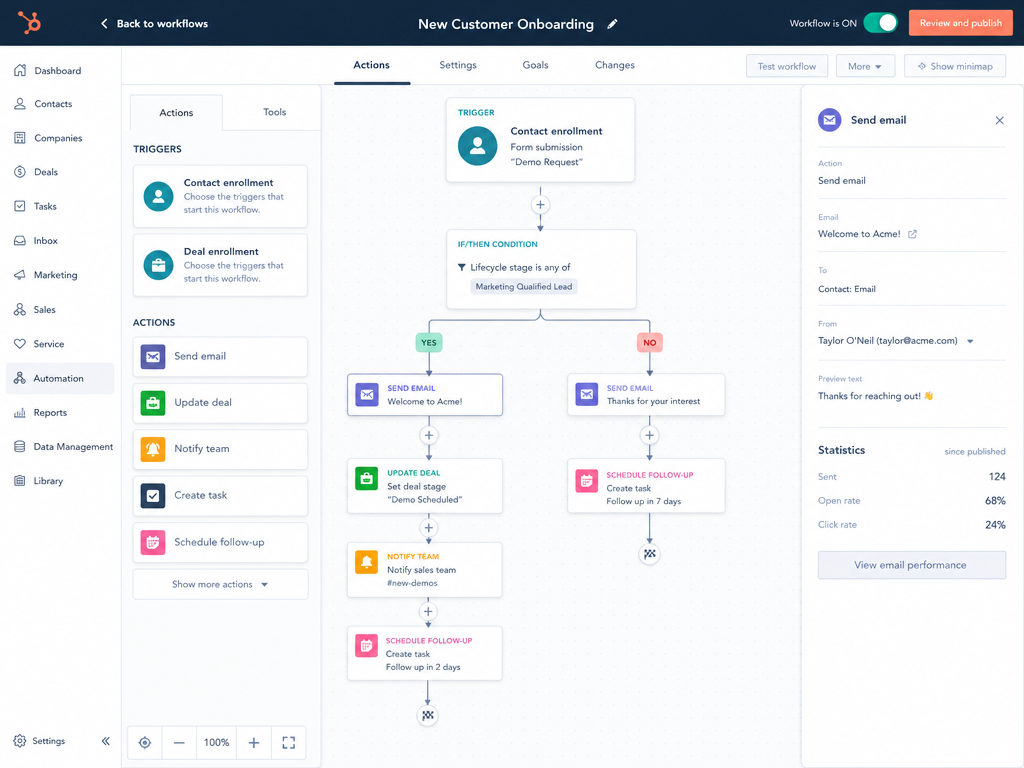
Real-Time Visibility & Reporting
05

Real-Time Visibility & Reporting

Sales metrics, pipeline visibility, revenue forecasting at your fingertips. Make data-driven decisions. Forecast with confidence. Know your numbers always.
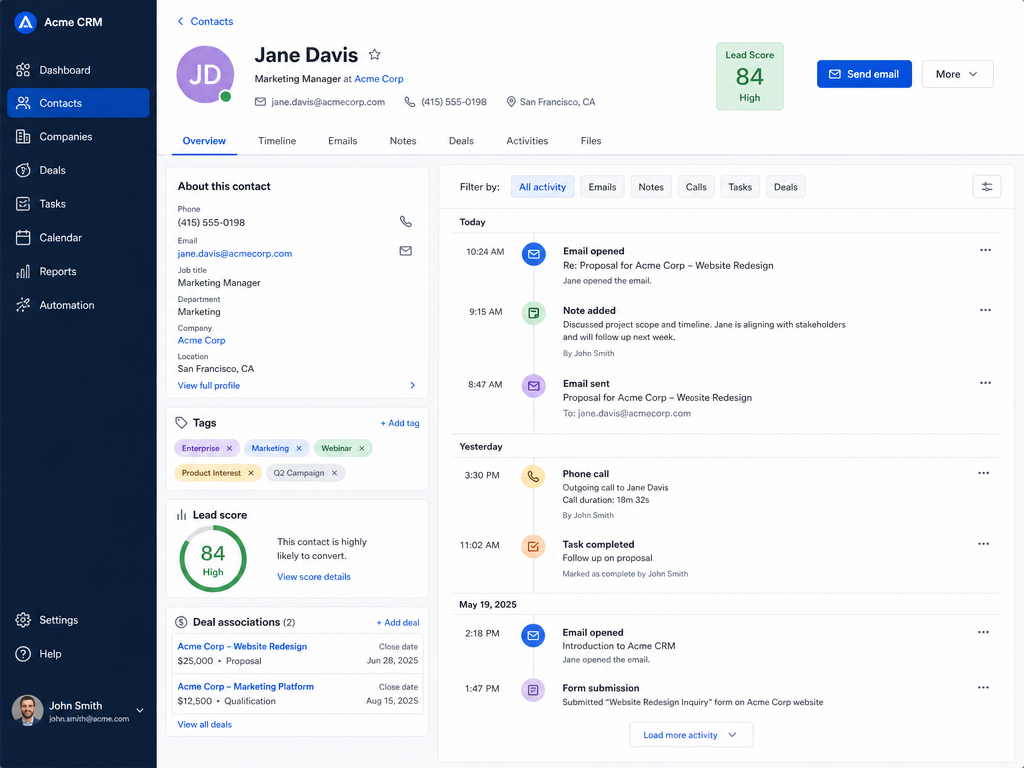
Your Team Actually Uses It
06

Your Team Actually Uses It

Comprehensive training, change management, and ongoing support mean adoption isn't an afterthought-it's built into your implementation from day one.

Our CRM Implementation Process

01

Sales Process Audit

Document your actual sales process. Identify bottlenecks, deal stages, and metrics. Clear process map created.

02

CRM Configuration

Design custom pipelines, lead scoring, and automation rules. Test with your team. Configured system ready for data.

03

Data Migration & Integration

Securely migrate your customer data. Connect integrations (email, calendar, third-party tools). All systems connected, data centralized.

04

Team Training & Pilot

Comprehensive training sessions. Pilot with power users before full rollout. Team confident, adoption ready.

05

Launch & Ongoing Support

Full launch. Weekly check-ins and optimization for first 30 days. Live system, team trained, continuous improvement.

Want this running in your business?

30-minute call. We map your current process and show you exactly what the automated version looks like.

Send your requirements

Why CRM Implementation Matters

Most CRM projects fail because implementation is treated as a one-time event, not an adoption journey. We implement CRMs the right way: aligned with your process, automated correctly, and with training that sticks.

The CRM Implementation Advantage

A complete business transformation where scattered data and manual processes become a high-performing revenue engine. You gain clarity, control, and time.

Stop losing leads. Start generating revenue.

We help you implement HubSpot or Zoho that works for your business, not against it. With proven expertise across hundreds of implementations, we know exactly how to configure CRM systems for maximum adoption and measurable ROI.

Planning a budget? See our breakdown of CRM implementation cost in Dubai. Running a property business? See how we apply this for Dubai real estate brokers. Running a Shopify store and not sure you need a CRM yet? Read our honest take on CRM for WhatsApp marketing. Choosing between platforms? See HubSpot vs Zoho for WhatsApp automation.

What CRM Implementation Delivers

80%+

Team Adoption Rate

30%

Sales Cycle Improvement

20+ hours

Hours Saved Per Week

99.9%

Data Accuracy

Why choose GoDesign

Why Choose Us

  • Adoption-first approach: if your team doesn't use it, it fails-and we ensure they do
  • We configure to your process, not force you to change your business
  • Results-obsessed partnership: we track ROI and optimize continuously
  • 30 days of post-launch support included to drive real, sustained adoption
  • 10+ years experience, 700+ successful implementations

Who this service is for

Who It’s For

  • Sales teams losing deals because follow-up falls through cracks
  • Teams spending hours on manual data entry and administrative work
  • Businesses with customer data scattered across email, spreadsheets, and disconnected tools
  • Companies that bought a CRM but team resistance means it's not being used
  • Teams needing CRM integrated with WhatsApp, LinkedIn, Slack, or automation tools like n8n
  • Managers who can't see their pipeline clearly or forecast revenue with confidence

Sarah Chen
What Clients Say
"Our team was drowning in spreadsheets and manual processes. After implementation, we finally have a single source of truth. Everyone knows the pipeline. We're closing deals faster. The best part? Our team actually uses the CRM because it works the way we work-not the other way around."

Sarah Chen

VP Sales · Tech Company

CRM Implementation FAQs

HubSpot CRM price depends on which hubs you switch on and how many contacts you hold. The free CRM is genuinely usable for a small team tracking deals. Paid tiers start with Starter (per seat, low commitment, enough for pipelines and basic automation), then Professional, where the HubSpot pricing bundles jump substantially because that is where workflows, sequences and custom reporting live. Most UAE SMEs we implement for land on Sales Hub Starter or Professional, and the honest advice is to start one tier below what the sales rep suggests: you can upgrade in a day, and downgrading after a year of building on Professional features is painful.

HubSpot can create quotes natively and, on newer plans, basic invoices with payment links, but it is not accounting software and should not be treated as one. In practice we integrate it: Xero and HubSpot integration, or QuickBooks, so quotes and deals in HubSpot become invoices in the accounting system without re-keying, and payment status flows back onto the deal record. If invoicing and VAT are central to your operation, the cleaner answer is often Zoho, where Books sits natively in the same suite.

The integrations we implement most: HubSpot and Outlook integration for two-way email sync, tracked sends and calendar booking, Webflow HubSpot integration for form capture straight into contacts, Shopify for e-commerce customer and order data, Xero and HubSpot integration or QuickBooks for finance, WhatsApp Business API for conversational follow-up, and Pipedrive HubSpot integration when a team is migrating between the two. A HubSpot chatbot on your website can feed the same contact record, so a chat and a form fill do not create two people. Anything without a native connector we build through the HubSpot API or a middleware layer, so the data moves on a schedule rather than by export.

They solve the same problem with opposite philosophies. HubSpot is opinionated and fast to deploy, with marketing genuinely built in; Salesforce is a platform you configure into whatever you need, with a longer and more expensive implementation. For teams under about 50 sales users, HubSpot usually wins on time-to-value. HubSpot CRM on premise does not exist, it is cloud-only, so if your compliance position requires self-hosted data, HubSpot is out and the conversation moves to a custom build or a self-hostable alternative.

Yes, and it is part of every implementation rather than an add-on. We start with a HubSpot CRM overview for the whole team, then split into role-specific sessions: reps learn the pipeline, logging and sequences; managers learn forecasting and dashboards; whoever owns the system learns the admin side, properties, workflows and permissions. We also record the sessions and leave written quick-reference guides, so a new joiner three months later can learn HubSpot CRM without booking us again. If you want a HubSpot Service Hub demo, or a walkthrough of any other hub before committing, we will run it against your own data rather than a sandbox.

Yes. A HubSpot CRM setup in Dubai with us covers the full path from empty portal to working revenue system: account and user provisioning, pipeline and deal-stage design, custom properties, data migration from spreadsheets or your old CRM, website form and WhatsApp integration, email sequences, dashboards, and team training. We are hands-on implementers, not resellers-you get a configured system your team actually uses, typically live in 2-4 weeks. We also handle ongoing HubSpot administration if you want changes managed for you.

Yes, Zoho CRM customization is one of our core services in Dubai. Out of the box, Zoho is generic; the value comes from shaping it to your sales process: custom modules and fields, blueprint-driven stage rules, workflow automations, Deluge functions for logic Zoho can't do natively, WhatsApp and telephony integration, and role-based dashboards. We've customized Zoho for real estate, healthcare, e-commerce, and professional services teams across the UAE-including multi-module builds spanning CRM, Books, Inventory, and Desk.

The right CRM depends on team size, budget, and technical needs. HubSpot is the most user-friendly and intuitive, perfect for teams new to CRM (50-200 users). Pricing is transparent and scalable. Zoho offers more customization for similar price, better for teams wanting deep custom fields and workflows. Salesforce is the most powerful but has a steep learning curve and higher cost (better for 200+ users or enterprise). For most small-to-medium businesses, HubSpot is the best choice because users adopt it faster, which is critical since most CRM failures are adoption failures. We can help you evaluate based on your specific needs and team size.

A basic CRM implementation typically takes 4-6 weeks. This includes: planning and requirements gathering (1 week), data migration and cleaning (1-2 weeks), system configuration and customization (1-2 weeks), integration with other tools (1 week), training (1-2 weeks), and go-live. Complex implementations with multiple integrations, custom workflows, and large data migrations can take 8-12 weeks. The timeline also depends on your team's responsiveness to feedback requests. We provide a detailed project plan with milestones at the beginning so you know exactly what to expect.

Yes, data migration is one of the most critical parts of CRM implementation. We extract data from your current system (spreadsheets, old CRM, accounting software), clean it (remove duplicates, fix formatting, fill gaps), validate it (ensure accuracy), and migrate it into the new CRM. Data quality is everything-garbage in equals garbage out. We typically find that 10-20% of data needs cleaning (duplicates, incomplete records, outdated info). We create migration maps showing where each piece of data goes, back up your original data, test migration multiple times, and validate results before go-live. We also establish naming conventions and data standards so future data stays clean.

Absolutely. We integrate your CRM with: website form builders (Gravity Forms, Typeform), chat and support tools (Intercom, Zendesk), e-commerce platforms (Shopify, WooCommerce), email marketing (Mailchimp, Klaviyo), payment processors (Stripe, PayPal), accounting software (QuickBooks, Xero), and automation platforms (Zapier, n8n). When a customer fills a form on your website, that becomes a contact in the CRM. When they make a purchase, deal data is logged automatically. This eliminates manual data entry and ensures information flows between systems. We handle all API integrations and testing.

Adoption is the #1 reason CRM projects fail. We prioritize adoption by designing the CRM around your actual team process, not against it. We show your team how the CRM saves them time (automated follow-ups, better visibility into deals, less repetitive work). We provide extensive training: live sessions for different roles (sales, support, management), video tutorials, written documentation, and ongoing support. We also set up success metrics so leadership can see CRM impact (deals closed, pipeline visibility, forecast accuracy). Adoption typically takes 4-6 weeks with good training and change management. The key is buy-in from leadership and patience with the learning curve.

Implementation costs vary by platform and complexity. HubSpot implementations start at AED 2,600-3,900 for basic setups (up to 5 users, simple pipeline). Zoho setups start at AED 1,950-2,600 (more customizable, lower cost). Full implementations with integrations, automation, custom fields, and training range from AED 5,200-13,000. Salesforce implementations are typically AED 10,400+ because they require more expertise. Beyond implementation, platforms have monthly fees: HubSpot starts at AED 130/month (5 users), Zoho at AED 80/month. We provide detailed quotes after understanding your requirements. Don't forget ongoing support costs-many teams need 5-10 hours/month of optimization work.

HubSpot is built for businesses new to CRM or teams under 200 people. It's intuitive, users adopt it quickly, and the learning curve is shallow. Salesforce is more powerful but significantly harder to learn and more expensive. It's better for enterprises or teams with dedicated admin staff. Most businesses choose HubSpot first-it solves 95% of CRM needs. If you truly outgrow HubSpot (very rare), you can migrate to Salesforce. We generally recommend HubSpot unless you have specific needs Salesforce-only features fulfill (like complex custom objects, enterprise SSO, etc.).

Yes, migration is possible. HubSpot allows you to export contacts, deals, and companies. Data can be mapped to Salesforce. However, migrating off HubSpot is more complex than migrating into HubSpot because of differences in data structure and workflows. Our recommendation: choose the right platform from the start. If you're unsure, start with HubSpot (lower commitment) and evaluate after 6-12 months. Most teams find HubSpot sufficient long-term.

Pipeline design is foundational. We start by understanding your actual sales process: How many days from lead to deal close? What are the key decision points? What's your win rate at each stage? We then create pipeline stages reflecting your reality. Typical B2B stages: Lead (unknown), Sales Qualified Lead (fits criteria), Proposal (provided quote), Negotiation (back-and-forth), Closed Won/Lost. B2C might be simpler: Lead, Interested, Purchase. We add exit criteria for each stage (what moves a deal to the next stage?), probability of win (HubSpot multiplies deal value by probability for forecasting), and timelines (expected days in each stage). Custom pipeline stages match your business-not the other way around.

Lead scoring ranks prospects by likelihood to convert, so your sales team prioritizes high-probability leads. Scoring uses two types of data: behavioral (email opens, website visits, content downloads, demo requests) and fit (company size, industry, budget range, location). Different actions get different points. A demo request might be 10 points, an email open 1 point. When a lead hits 50 points, it's automatically marked 'sales ready.' This automates prioritization-your team focuses on hot leads, not cold ones. Lead scoring typically improves close rates by 10-20% because reps focus on high-probability prospects. Scoring rules should match your sales team's intuition about what makes a good lead.

Yes. We set up email workflows triggered by user actions. Examples: when a contact fills a form, send a welcome email; when a deal moves to 'proposal' stage, send proposal follow-up; when a contact hasn't opened emails in 30 days, trigger re-engagement campaign; when lead reaches 50 scoring points, notify the sales rep. Emails are personalized with contact data (name, company, deal name) making them feel personal even though they're automated. We also set up nurture sequences (multi-email series) guiding prospects from awareness to decision. Email automation saves your team hours while improving follow-up consistency and response rates.

Duplicate contacts are a common problem that breaks reporting and confuses teams. We prevent them through: deduplication rules (CRM automatically merges contacts with same email or phone), training your team on searching before adding new contacts, and process documentation. We clean your data during migration, identifying and merging duplicates. Going forward, the CRM can automatically merge duplicate records or flag suspected duplicates for manual review. Good data governance prevents the problem: enforce naming conventions, require company selection when adding contacts, and make search easy so reps find existing contacts before creating new ones.

Dashboards provide real-time performance visibility. We set up dashboards showing: deals by stage (pipeline visibility), won vs. lost deals (close rate), average deal size (revenue impact), sales cycle length (how long from lead to close), revenue forecast by rep and month, and win rate by rep. Custom metrics depend on your business: lead response time, contact-to-deal conversion rate, or repeat customer rate. This transparency motivates teams, helps leadership forecast revenue, and identifies training opportunities (reps with low close rates might need coaching). We create role-specific dashboards: reps see their deals and activity, managers see team performance, and leadership sees company-wide metrics.

We set up automated lead capture from all your sources: website forms (contact forms, demo requests, webinar signups), email (salesforce@yourcompany.com can be automatically imported), social media (qualified leads from LinkedIn), customer referrals, event registrations, and advertising (forms on Google Ads or Facebook). Each source can have different routing logic: website leads route to your website team, LinkedIn inquiries to a business development rep. Leads are assigned based on territory, product interest, company size, or round-robin distribution. We also set up immediate notifications so reps contact leads within minutes (response time dramatically impacts conversion). All sources feed into one clean lead database.

Both HubSpot and Zoho support unlimited custom fields. We design a custom data structure matching your unique business needs. Examples: B2B SaaS might track MRR (monthly recurring revenue), industry, use case, implementation date. Real estate tracks property type, price range, location, list date, days on market. Agencies track project type, budget, client industry, project stage. Custom fields aren't just for data storage-we use them in reporting, filtering, automation, and scoring. We document the purpose of each field, who fills it, and how it's used. Good data structure makes everything else easier.

Yes. n8n, Zapier, and Make are powerful automation platforms that integrate with HubSpot or Zoho. Common integrations: contact enrichment (add company data to contacts automatically), multi-tool data sync (when a deal closes in CRM, create an invoice in accounting software), complex workflows beyond CRM's built-in automation, and specialized integrations (importing data from custom systems). Using these tools, you can automate almost anything: lead qualification rules, data validation, third-party notifications. We build automations tailored to your specific needs. These tools add power to your CRM while keeping costs low.

Adoption requires more than training-it requires change management. We: start with leadership buy-in (managers must use and advocate for CRM), provide role-specific training (sales reps learn deal management, not admin settings), show time savings early (automated reminders mean fewer things to remember), make adoption easy (simple, clean interface with minimal required fields), provide ongoing support (help when people get stuck), and celebrate wins (show closed deals attributed to CRM follow-ups). Adoption typically takes 4-6 weeks of consistent use before it becomes habit. We provide post-launch support during this critical window, helping troubleshoot issues and address concerns.

Essential reports include: pipeline visibility (total deals by stage, how much revenue is in forecast), sales velocity (how fast deals move through stages), win/loss analysis (why did we win some deals and lose others?), sales cycle length (how long from lead to close?), conversion rates (lead to qualified, qualified to proposal, proposal to closed), and revenue forecast (predicted revenue by month). Custom reports depend on your goals: some teams care about lead response time, others about account penetration. We set up dashboards and scheduled reports so leadership sees key metrics weekly or monthly without manual effort. Good reporting drives decisions and motivates teams to focus on what matters.

Need this service?

Share Your Requirements

Share your requirements and we will come back with the right next step, timeline, and delivery approach.

Tell us your goals

Project Brief

Start a Conversation

Tell us what you're building. We'll tell you how to make it faster.